A free browser extension. It uploads your Showcase Maker files to Steam, places them into the showcases and keeps profile looks as presets: no console, no fiddling.
1Make a showcase on the websiteProcess a picture or video in Showcase Maker and get the parts Steam needs.
2Press “Upload to Steam”The extension uploads the files one by one in the tab where you are signed in to Steam.
3Check it and press SaveThe files are already in the right showcase. Steam saves your profile only after you press Save.
What the extension does
Pick a feature to see how it looks.
Drop the files, the extension uploads them
Choose the showcase type and the extension shows exactly as many slots as it needs. Steam gets the files one by one in a background tab.
Artwork, Featured Artwork, Workshop, Screenshots, Favorite Guide
From the website: up to three Workshop rows at once (10 or 15 files)
A queue with progress for every file and a Cancel button
It lands in the right showcase
After the upload the extension opens Steam’s showcase editor and puts the files in place. Recent uploads are grouped into batches; you only choose the row.
Workshop: row 1, 2 or 3, or every row of an upgraded showcase
Parts of one upload never mix with old ones
Batches show in Steam’s own file picker too
Pick automatically: Workshop
Upload · 5 files · todayrow 1 ✓
row 1row 2row 3
Upload · 5 files · yesterday
row 1row 2row 3
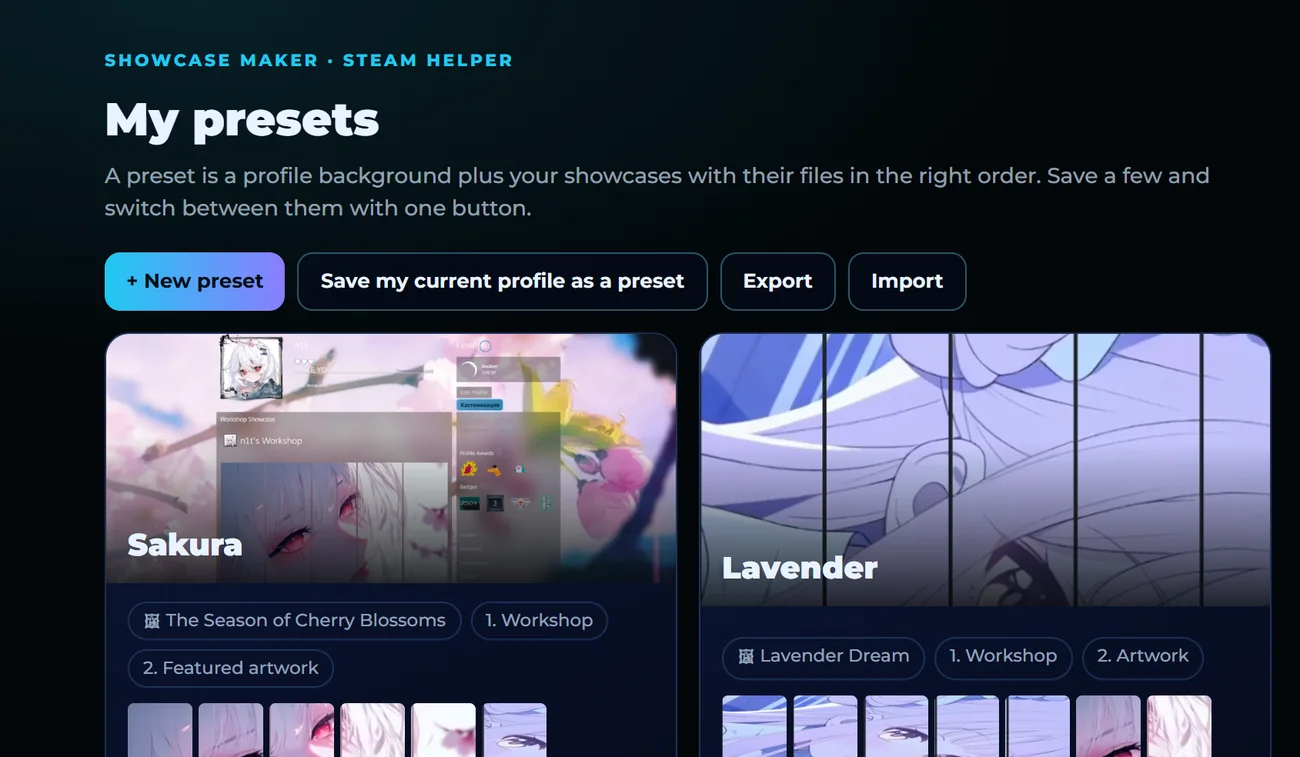
The whole profile in one click
A preset is your background and every showcase with its content. Keep several looks and switch between them.
Any Steam showcase, avatar and frame, badge, group
“Save my current profile” captures what you have now
Export to a file and move to another PC
Like someone’s profile? Import it
Every public profile gets an “Import profile” button. The extension turns it into a preset; you swap in your own files.
Showcases, background, frame, animated avatar, Info box text
Other people’s files and items stay a reference
Nothing changes on Steam until you apply it
Import report
Background and frame: found
6 showcases: in the preset
Info box text: copied
Other person’s files: reference
Save as preset
Tidy up your uploads
On your Artwork and Workshop pages every file shows at once, even while Steam is still loading heavy GIFs. Delete what you don’t need in one go.
Click, Shift+click, “first N” or all
A confirmation with the number of files first
An honest report: only files really deleted
My artwork · 48Selected: 10Delete
A Steam guide without the confusion
Cover, text, pictures and sections with a preview “as on Steam”. Press Publish and the extension fills in Steam’s pages.
A picture for the Favorite Guide showcase or a real guide
GIFs and screenshots up to 2 MB, YouTube, templates