Gallery: a random work
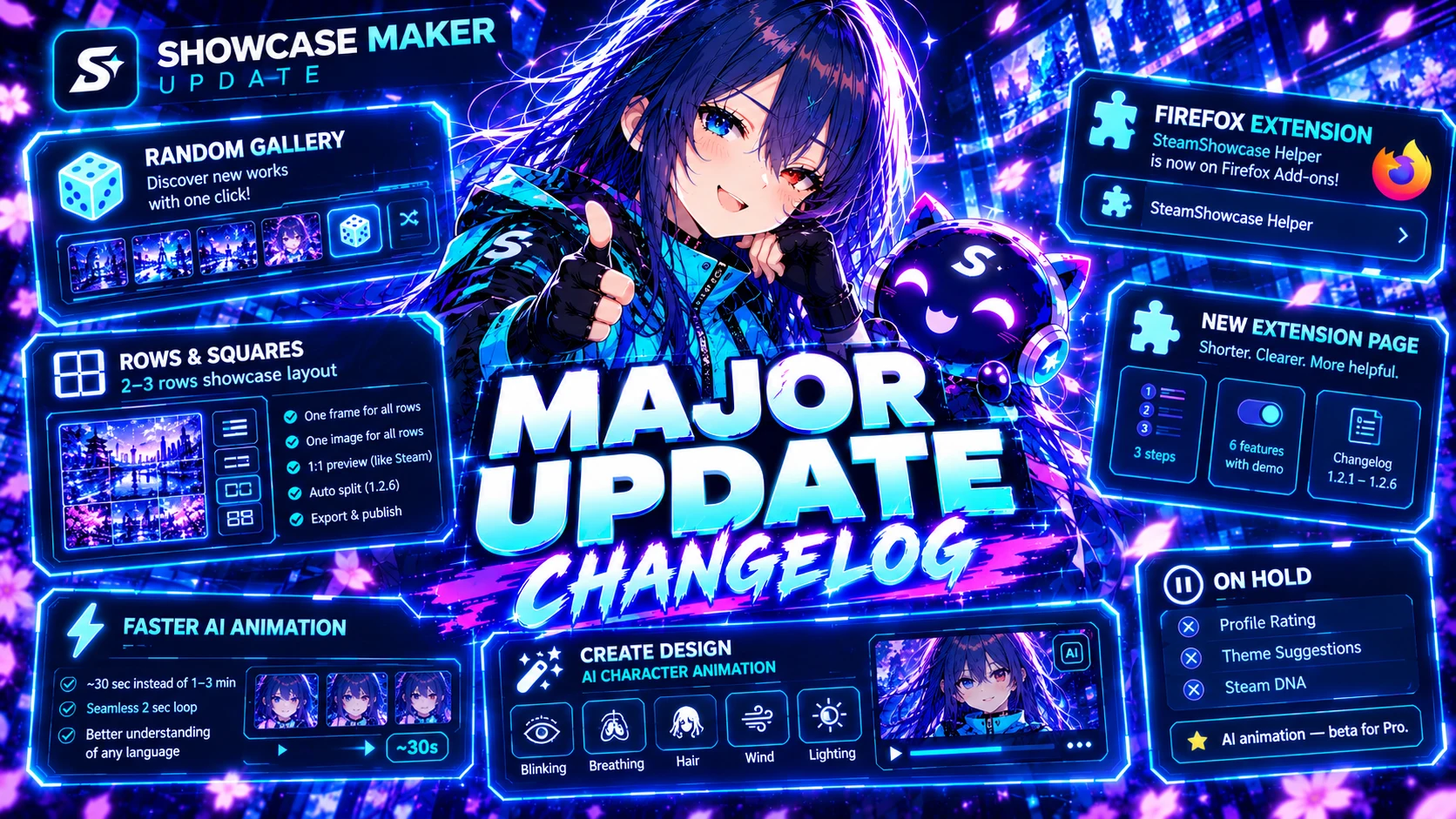
Next to the sorting menu there is a new dice button, "Show a random one". Each click opens another work with no repeats until you have seen them all. It follows your filters: showcase type, still or animated, colour, search, author and "My likes".
"Rows and squares": one showcase of 2–3 rows
- One frame for all rows. The frame goes around the whole showcase: the top on the first row, the sides on the middle one, the bottom on the last.
- One picture for all rows. The picture stretches across the whole showcase and lines up exactly where the rows meet.
- A preview like on Steam. The showcase is shown at real size, with Steam's own labels and the exact gaps between rows (we measured them on steamcommunity.com).
- The result window. When the files are ready, the same window as in "Process" opens: rows stacked, ZIP, gallery publishing and upload to Steam.
- Automatic placement. The SteamShowcase Helper 1.2.6 extension uploads 10 or 15 files, opens the showcase editor and places them row by row. You only press "Save". If your showcase is not upgraded yet, the extension tells you how to do it.
- In the gallery such works get a cover with all rows stacked.
The extension for Firefox
SteamShowcase Helper is now on Firefox Add-ons. In Firefox, every "Install the extension" button on the site leads there.
A new extension page
The extension page is shorter and clearer: how it works in 3 steps, a switch between 6 features with demos, what is new in versions 1.2.1–1.2.6 and answers to common questions.
AI animation: faster and smoother
- An animation is ready in about 30 seconds instead of 1–3 minutes.
- You get a seamless 2-second loop: the character keeps moving, with no stop at the end of the loop.
- You can write your wish in any language; the model understands it better.
"Create a design": AI animation of the character
- The Character layer has a new "AI animation" button. Pick the mode (calm or lively), what moves (hair, breathing, blinking, glance, wind, light) and add your own wish.
- If the character's background is removed, it comes to life transparent and moves over your background and effects. If it is not removed, the background is animated together with the character.
- The window has a "Result" panel: first the character picture, then the stage and progress while the AI works, and in the end the finished animation. You can remove it or make it again right away.
- A design export lasts exactly one loop of the animation, with no extra frames.
- The character tool buttons got a new look, each with its own icon. The Background layer now shows only "Like on the Steam profile" and "Colour correction".
Being improved
Profile Rating, Design Selection and Steam DNA are switched off for now while we improve them. In the tools catalogue they are marked "Being improved", and no tries are spent. They will be back soon.
AI animation is a Pro beta.