🎯 Introducing “Design Recommendations”
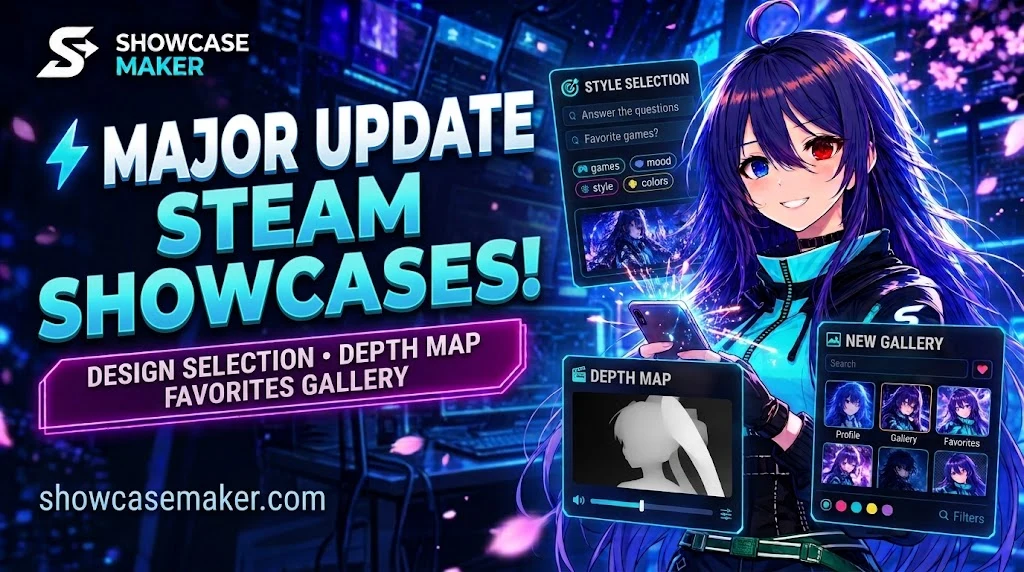
- Answer a few simple questions about your preferences to get a selection of designs for your Steam profile.
- Choose your preferred style, colors, mood, games, or characters to make recommendations more accurate.
- The site now explains why a particular design matches your preferences.
- If there are no exact matches, you’ll be told instead of seeing random designs presented as perfect recommendations.
🎨 Publish Your Work Directly from the Editor
- You can now publish your design to the gallery directly from the editor — all in one window.
- No need to save your project separately, upload the files again, or fill out the form all over again.
- If the author allows editing, other users can use their work as a starting point and customize it to their liking.
⚡ Download for Steam — Made Easier
We’ve removed an extra step in the editor. The “Download for Steam” button now prepares the necessary files automatically. Fewer steps, faster results!
🖼️ A Better Gallery Experience
- Search for designs by title or author.
- Filter designs by color and showcase type to find what you’re looking for faster.
- Save designs you like and come back to them later.
- A dedicated page now brings your favorite and downloaded designs together in one place.
🎬 New Effect — “Depth Map”
Try an effect inspired by TikTok trends! It transforms images or videos into a dimensional map with smooth transitions and a sense of depth.
- Smooth transitions and 3D-like movement.
- Glow effects and different color modes.
- Available in the image processing tools and the design editor.
✨ A Smoother Interface
- Updated the appearance of dialogs and interface elements.
- Unified the look of page headers across the site.
- Improved tool loading: tools now load as needed, making the experience more convenient.
🚀 We’re Continuing to Improve Showcasemaker
Our goal is to make it easier to create beautiful Steam showcases, discover inspiration, and customize other creators’ work to suit your own style.
Thank you for using Showcase Maker and helping us make it better! ❤️